
Account & auth
The Account & auth methods section of Settings is where you
manage how you sign in and, if you ever need to, delete your account. The settings here are managed
by the AccountMethods component.
Sign-in methods
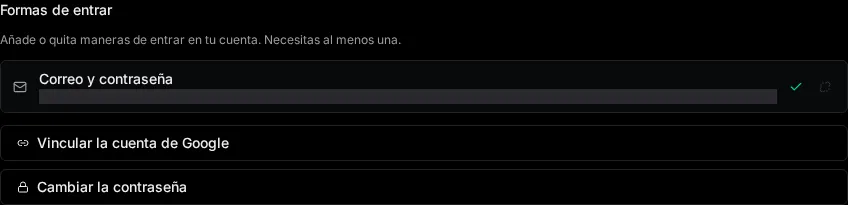
Section titled “Sign-in methods”You can use any combination of the following to access your account:
| Method | How it works |
|---|---|
| Email & password | Classic credentials — an email address and a password you set. |
| Google (OAuth) | Sign in with your Google account; no separate password needed. |
| Magic link | Receive a one-time sign-in link by email and click it to log in. |
Managing your methods
Section titled “Managing your methods”-
Open Settings and go to Account & auth methods.
-
Add or update a method — set or change your password, connect Google, or enable magic link sign-in.
-
Save your changes. They take effect on your next sign-in.
Danger zone: deleting your account
Section titled “Danger zone: deleting your account”The danger zone lets you delete your account. This is permanent and removes your access.
Access tokens
Section titled “Access tokens”To use the REST API, the Python package or the MCP server from outside the app without a session that expires every hour, mint an access token here.
-
Give it a name that says where it will live (
laptop,Claude Code) and how many days it should last (1–365, default 90). -
Copy it when it is shown. It is shown once; afterwards the list only knows its name, when it expires, and when it was last used.
-
Revoke it from the list when that machine is gone. A revoked token stops working on the next request and stays listed, struck through, for thirty days as a record.