
Labeling jobs
A labeling job is a human-annotation workflow over a dataset. The job owns the questions people answer, who is assigned to which records, and the agreement analysis — while the dataset stays purely data.
Use a labeling job when you need humans to rate, classify, or otherwise annotate records: building gold labels, evaluating model outputs, or measuring how much annotators agree.
Create a job
Section titled “Create a job”Use the CreateJobModal to start a job.
-
Bind a dataset. The job annotates records from this dataset.
-
Define the questionnaire. Add questions — they reuse the same type/widget vocabulary as dataset columns (Number, Ordinal, Text, Boolean × Input, Textarea, Select, Radio, Checkbox).
-
Choose visible fields. Pick which dataset columns annotators see while labeling (hide columns that would bias them).
-
Assign annotators to records.
Questionnaire & schema
Section titled “Questionnaire & schema”The questionnaire is the set of questions annotators answer per record. Questions reuse the dataset column type/widget vocabulary, so an Ordinal question can render as a Radio scale, a Text question as a Textarea, and so on.
Visible fields
Section titled “Visible fields”A job chooses which dataset columns are visible to annotators. Show the columns that provide context for the task and hide anything (such as existing labels) that should not influence the annotation.
Access is role-based, set per assignment, and drives which tabs each person sees:
| Role | Can do |
|---|---|
| Admin | Manage the job, schema, assignments, and insights |
| Annotator | Label assigned records only |
| Viewer | Read-only access to records and insights |
Jobs are scoped both personally and to a team.
Assignments
Section titled “Assignments”The AssignmentsPanel maps annotators to the records they should label. Assign overlapping records to multiple annotators when you want to measure agreement.
Annotating
Section titled “Annotating”Annotators work through their assigned records, answering the questionnaire for each. A
response exists per (job, item, annotator) and has a status:
| Status | Meaning |
|---|---|
| Draft | In progress, not yet submitted |
| Submitted | Completed and recorded |
| Discarded | Set aside, not counted |
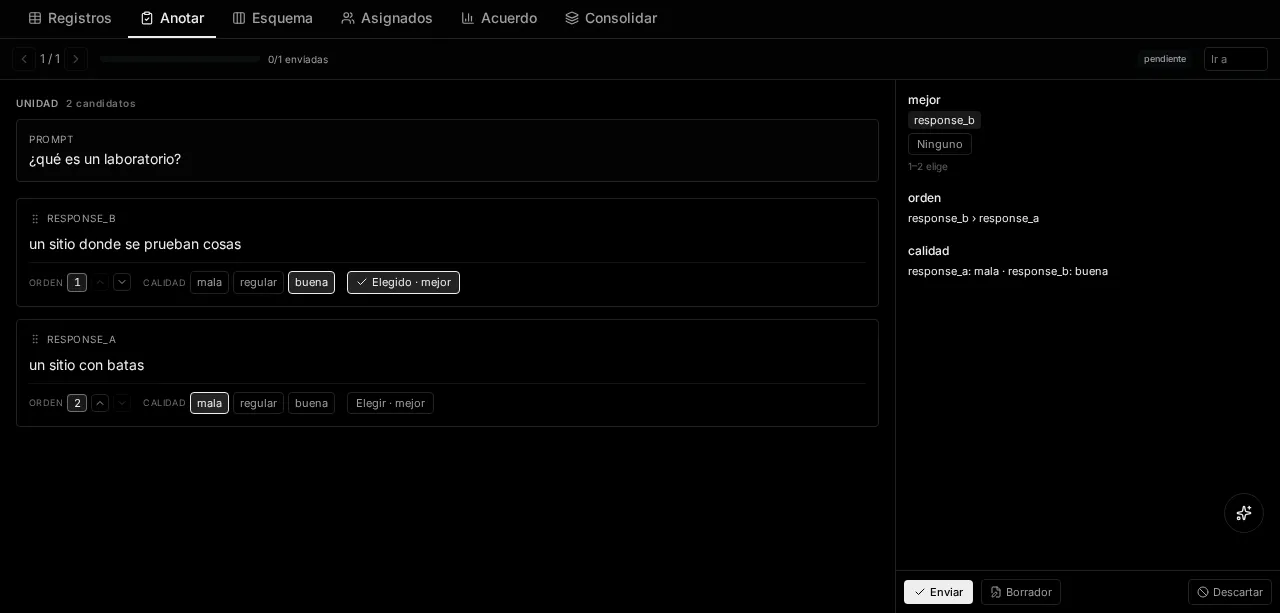
Insights & agreement
Section titled “Insights & agreement”JobInsights rolls up results across annotators. For each item it shows the collected responses and their distribution, and across overlapping assignments it computes inter-annotator agreement metrics. Use these to gauge label quality and decide whether the questionnaire or guidelines need tightening.
Taking the results with you
Section titled “Taking the results with you”A labelled corpus you can only look at through a screen is not a corpus. The Records tab has an Export control, in two formats:
| Format | Shape | For |
|---|---|---|
| CSV | One row per answer — unit_id, unit_key, position, question, element_idx, annotator_id, value | Spreadsheets, and pandas.read_csv with no arguments |
| JSONL | One line per unit, with what the person was shown and what each of them answered | Training sets, where the label is useless without the text beside it |
CSV is long, not wide: two annotators on the same unit are two rows, not two columns. A wide shape breaks the moment a third person joins.
Both respect the filters above them, which is the point — “export only the units where they disagreed” is half the work of reviewing a corpus.